Turns PDF books into audiobooks — and more. Upload PDFs, pick a voice, and get chapter-marked M4B audiobooks, AI digests, translations, AI rewrites (ELI5, summaries, custom prompts), PDF/EPUB exports, and read-along synced EPUBs (audio + highlighted text) you can listen to offline on a phone.
Built for local use on Apple Silicon Macs. Fully offline after the initial model downloads — AI features run on a local model (Ollama and LM Studio are auto-discovered, no configuration) or a cloud provider (DeepSeek, OpenAI, Anthropic, Gemini) if you add an API key.
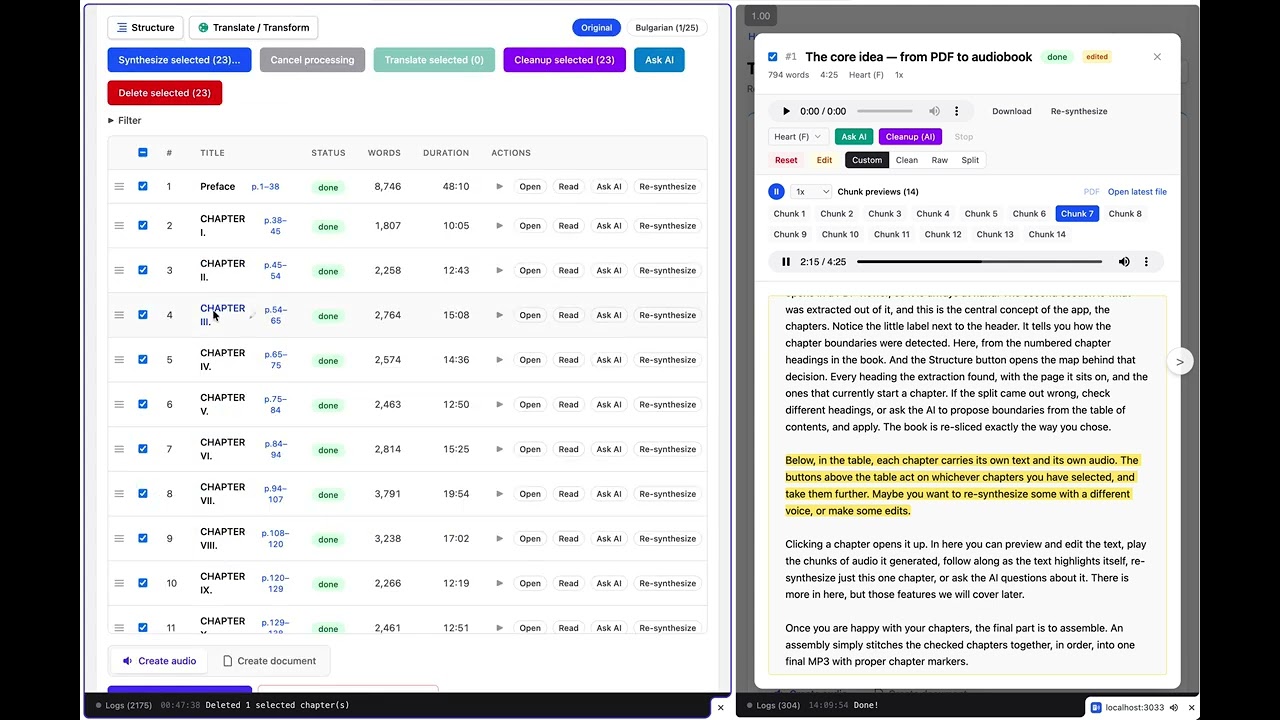
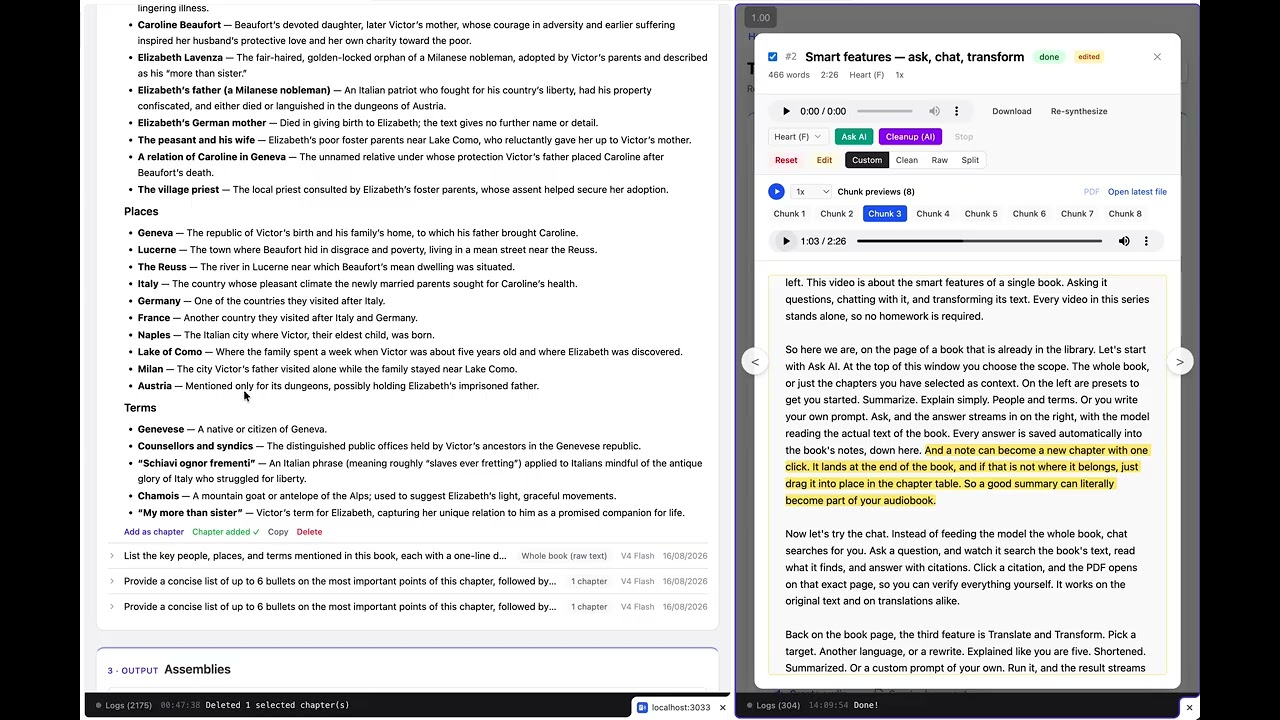
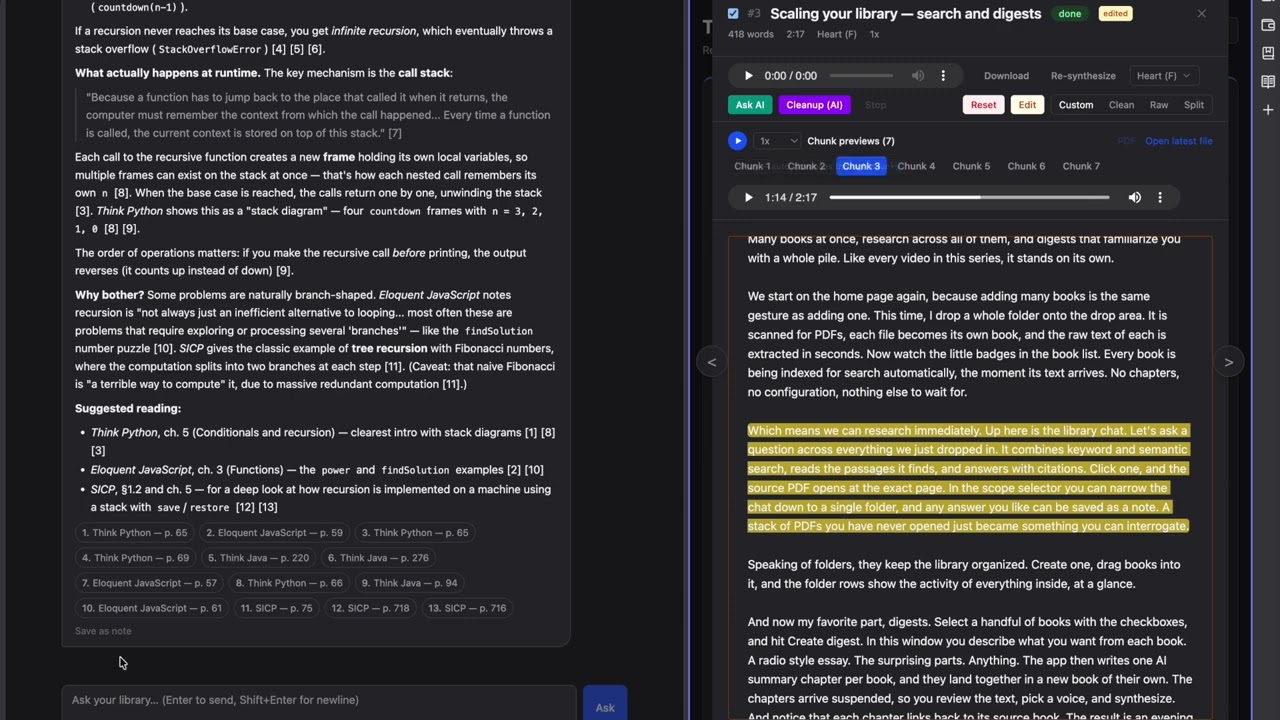
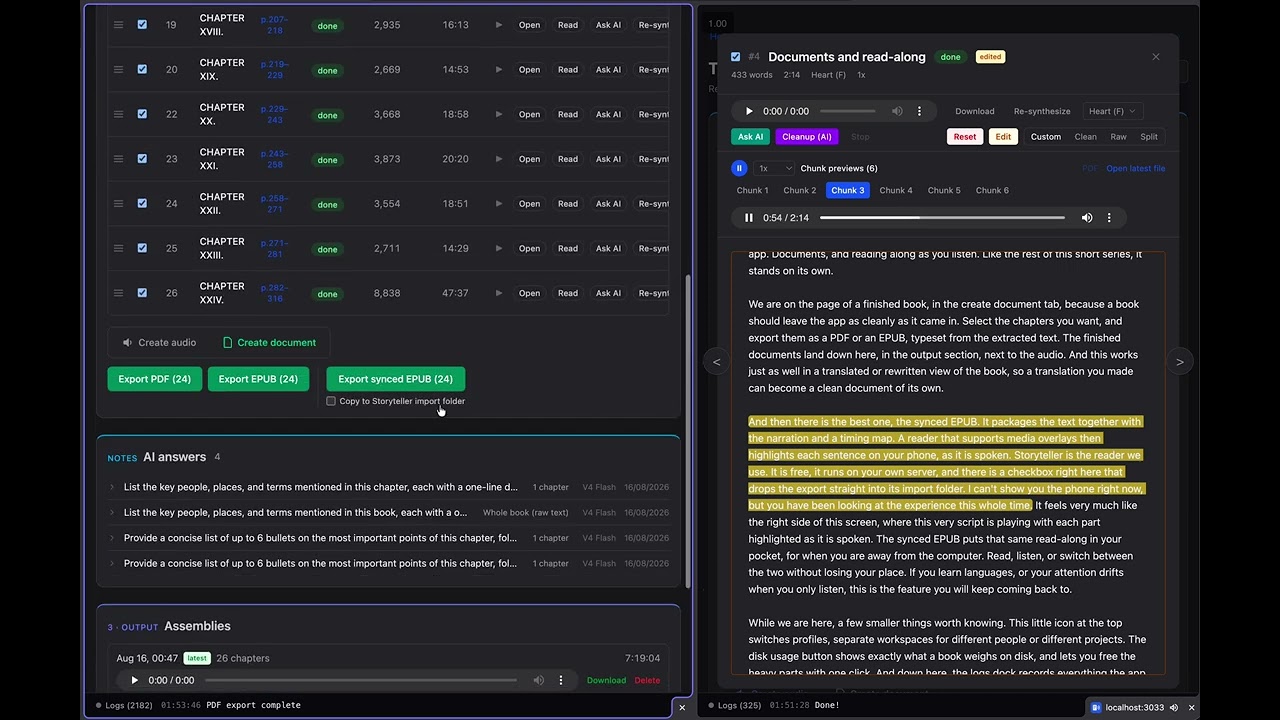
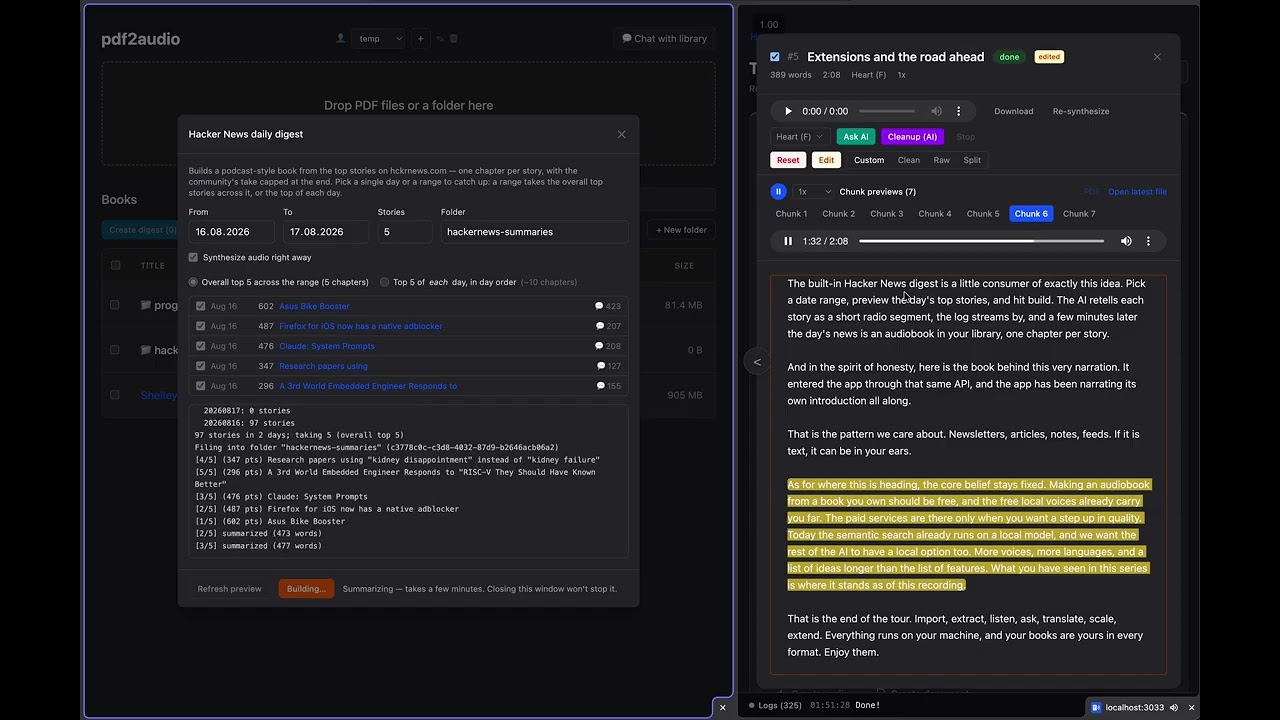
Short standalone tours, narrated by the app's own synthesized voice — the script is a book inside the app, playing on the right while the demo runs on the left.
 |
 |
|---|---|
| 1 · The core idea PDF in, chapter-marked audiobook out |
2 · Smart features Ask AI, chat with citations, translate & transform |
 |
 |
| 3 · Scaling your library Instant indexing, library-wide chat, digests |
4 · Documents and read-along PDF/EPUB export, synced read-along for your phone |
 |
|
| 5 · Extensions and the road ahead The JSON API, scripted audiobooks, what's next |
- PDF → audiobook: chapter detection (deterministic tiers + optional LLM TOC detection), per-chapter TTS synthesis, single M4B assembly with native chapter markers and cover.
- Raw-first uploads: every upload gets instant
pdftotextraw text; the slow Marker extraction (OCR-capable) is opt-in and can run later. - Per-chapter control: edit text, re-synthesize, include/exclude, suspend/queue, AI cleanup of OCR artifacts, manual or LLM-proposed chapter boundaries.
- Translations & transforms: first-class per-chapter variants (any configured AI model) with their own TTS audio and assemblies; the original text is always preserved. A variant is either a translation (per language) or a rewrite — ELI5, shortened, summary, enriched-with-examples presets, or any custom prompt. Generation streams live into the side-by-side view, token by token (model reasoning is off by default for speed — a Reasoning checkbox turns it on and streams the thinking too).
- Ask AI + notes: whole-book or per-chapter prompts; every answer is auto-saved as a note on the book, and any note can be appended to the book as a chapter of its own — ready to reorder and synthesize.
- Digest books: select N books → one synthetic book with an AI summary chapter per source, ready to synthesize.
- External API: plain JSON endpoints (
POST /api/books, seedocs/synthetic-books-api.md) so scripts and other projects can create synthetic books and chapters — with optional straight-to-audio synthesis. Ships withscripts/hn-top10.mjs, which turns any day's top Hacker News stories (via hckrnews.com archives) into a podcast-style book — one chapter per story in an American network-news register (anchor slug with the day and that day's rank, hook, headline reveal), article text extracted with Defuddle, community reaction capped at 20%. - Document export: selected chapters as PDF/EPUB (Vivliostyle), or as a synced EPUB — EPUB 3 with Media Overlays: embedded audio plus sentence-level highlighted text, valid per epubcheck.
- Read along on the page: open a book's narration over its own PDF page — the sentence being spoken is highlighted where it is printed, and tapping a sentence seeks the audio to it. Column view crops pages to their text columns, Text view reflows at your own size, and phone-width presets say whether the book's type is actually readable on a phone. Format in
docs/read-along.md; what each kind of chapter and each TTS engine actually gets is indocs/read-along-variations.md. - Read-along on iPhone: a self-hosted Storyteller companion (see
storyteller/) auto-imports synced EPUBs; the free Storyteller Reader app downloads them for fully offline listening with live text highlighting. - Library organization: nested folders with drag & drop, cross-folder search, lightweight profiles (workspaces) so different people keep separate libraries.
- Library chat: an agentic assistant (
/chat) that searches the content of every book — hybrid full-text + semantic search (local BGE-M3 embeddings, cross-language: ask in English, find the Bulgarian passage and vice versa) — and streams answers with verified citations. Click a source chip to open the PDF at that page, the chapter, or the translation view. Answers can be saved as notes.
Ebook2Audiobook is a one-shot converter: file in, audiobook out, with voice cloning (XTTSv2) and huge language coverage. pdf2audio is a library you live in: books persist in a database with per-chapter editing, re-synthesis, AI cleanup, translations and rewrites, notes, digests, read-along export, and chat over the content of every book. PDFs are the first-class input (raw text instantly, OCR opt-in) rather than routed through an EPUB conversion, and the TTS stack is newer local models (Kokoro, KugelAudio) plus macOS and Cartesia voices instead of the Coqui-era engines. If you want "this EPUB in a cloned voice", use Ebook2Audiobook; if you want to clean up, restructure, transform, and actually work with a messy PDF collection, that's this.
Upload → rawExtract (pdftotext, seconds, always)
       → extract (Marker, opt-in, OCR-capable) → normalize → synthesize (TTS) → assemble → M4B
       → translate/transform → synthesizeTranslation → per-variant assembly
       → assembleDocument → PDF / EPUB / synced EPUB
Jobs run through Graphile Worker in six pools (TTS, raw text, extraction, assembly, AI/translation, search indexing) with maxAttempts: 1 — nothing retries silently; the user reviews failures and decides. Chapter text falls back customText ?? cleanText ?? rawText at synthesis time.
TTS engines (see Languages for what covers what): Kokoro (English, French, Spanish, Italian, Brazilian Portuguese, Hindi, Mandarin), KugelAudio (24 EU languages incl. Bulgarian, local 4-bit MLX quant), BG-TTS V5 MLX, and Meta MMS Bulgarian — all local, GPU-accelerated via MPS/Metal. Plus Pocket TTS from Kyutai (100M params, CPU-only at ~12x realtime, 26 built-in voices, optional voice cloning from a ~20s sample), every installed macOS system voice (via say, free and ~25x realtime), and two optional cloud engines: Cartesia Sonic (CARTESIA_API_KEY) and ElevenLabs (ELEVENLABS_API_KEY, whose free tier is 10,000 characters a month — synthesis checks what is left and refuses before spending rather than stopping halfway).
During synthesis the server keeps a text↔audio timing map (chNNN.sync.json) next to each chapter's M4A — per chunk always, and per word where the engine reports it (Kokoro does, straight out of its own duration prediction). That map powers the web UI's read-along player and the synced EPUB export — and once it is written, the worker deletes the intermediate chunk WAVs to reclaim disk (pnpm --filter server cleanup:chunks sweeps leftovers from older runs).
Every engine covers a different set, so the answer to "does it do language X" depends on which one you pick. Local engines, unless noted:
| Language | Voices | Engine |
|---|---|---|
| English | 27 + 26 | Kokoro, Pocket TTS |
| Spanish, Italian, German, Portuguese, French | 26 each | Pocket TTS (downloadable from the picker) |
| Bulgarian | 3 + system | BG-TTS V5 MLX, MMS Bulgarian, KugelAudio, macOS Daria |
| French, Spanish, Italian, Brazilian Portuguese | 2 each | Kokoro |
| Hindi | 4 | Kokoro |
| Mandarin Chinese | 8 | Kokoro |
| 24 EU languages | 1 multilingual narrator | KugelAudio (opt-in ~5 GB download) |
| Most others | many | Cartesia and ElevenLabs (cloud, need an API key), plus any macOS system voice you have installed |

The picker leads with the language, not the engine: pick Italian and you get every voice that can read it — 49 here, grouped by engine, with a preview button on each one.
Notes on the edges:
- Japanese is not supported, even though Kokoro ships Japanese voices. They need a MeCab/
fugashinative stack plus a ~700 MB dictionary, and the extra downgrades a package the Marker/spaCy side depends on. Not worth it for five voices — so they aren't listed in the picker. - Pocket TTS ships one checkpoint per language, and only English is installed by
pnpm run setup. The others download on demand: open the picker's Pocket TTS tab, pick a language, and press Download — it shows the size first (~370 MB each, ~800 MB for French, which has no distilled build yet and runs ~2.5x slower). Downloads land in the shared HuggingFace cache and go live immediately; no server restart. - Pick the matching language. The English model will happily read French or Italian text and produce something that sounds plausible, because the voices include non-English speakers (Giovanni, Lola, Juergen, Rafael, Estelle). It mispronounces silent letters and liaisons — the same French sentence runs 25% longer on the English model than the French one. Selecting the language is what makes it correct, not selecting a native-sounding voice.
- Mandarin needs the
misaki[zh]G2P chain, whichpyproject.tomlpins andpnpm run setupinstalls.
pnpm monorepo: packages/server (Fastify + tRPC + Graphile Worker + Drizzle/Postgres, port 3034) and packages/web (React 19 + Vite + Tailwind v4 + react-router 7, port 3033). Python TTS/extraction scripts live in scripts/; the optional Storyteller companion in storyteller/.
The detailed, maintained map of files, tables, routes, and pipeline internals is in AGENTS.md — this README stays intentionally high-level.
PostgreSQL 17 with pgvector in Docker (pgvector/pgvector:pg17, host port 5433), schema via Drizzle ORM: profiles, folders, books, book_files, chapters, chapter_translations, assemblies, documents, notes, book_logs, book_chunks (search index: FTS + embeddings). See AGENTS.md for column-level docs. Migrations: pnpm db:generate + pnpm db:migrate.
It was briefly bundled instead (scripts/pg.sh, removed in 2026-08) and that worked — the whole
5 GB library migrated in three minutes, and tasks/desktop-app.md records what it took. Docker won
because the desktop app is going to require it anyway, and one database path beats two: the app
would otherwise be tested against binaries the developers never run.
The server applies pending migrations at boot, so a fresh database needs nothing by hand — the app
depends on that, having no drizzle-kit in the bundle. To index an existing library for search,
run pnpm backfill:index (FTS is available within minutes; BGE-M3 embeddings fill in as a
background pass).
All runtime data lives in ./data/ (gitignored, resolved relative to packages/server):
data/uploads/{bookId}/            Uploaded PDFs
data/tmp/{bookId}/                Marker JSON output
data/output/{bookId}/             Chapter M4As + sync maps, M4B assemblies, exported documents
data/output/{bookId}/{slug}/      Variant audio (language or transform slug)
data/output/{bookId}/chunks/      Chunk WAV previews (disposable once sync maps exist)
data/previews/                    Voice preview M4As
An Apple Silicon Mac (the MLX TTS engines need Metal) with:
- Homebrew, then:
brew install ffmpeg poppler espeak-ng python@3.12 node pnpm— for running from source, which spawnsffmpegandpdftotextoff yourPATH. The packaged app carries its own copies and needs none of this. - Docker — OrbStack or Docker Desktop (Postgres, and optionally Storyteller). The desktop app will require it too.
- Optional: an AI model for translation, rewrites, cleanup, digests, Ask AI, chat, and LLM chapter detection — Ollama or LM Studio running locally (auto-discovered, fully offline), or a DeepSeek / OpenAI / Anthropic / Gemini API key
- Optional: a Cartesia or ElevenLabs API key for their cloud voices
- Optional: a HuggingFace account for Pocket TTS voice cloning — accept the terms at
kyutai/pocket-tts and put a read token in
HF_TOKEN. The 26 built-in Pocket TTS voices need no account and no token.
git clone https://github.com/subev/pdf2audio.git && cd pdf2audio
pnpm run setup    # checks deps, builds .venv (pinned Python deps), caches models, starts Postgres, migrates
pnpm dev          # server on :3034, web on :3033
pnpm run setup is idempotent — rerun it after failures. (Note: it must be pnpm run setup; bare pnpm setup triggers pnpm's unrelated builtin.) It creates .env with working defaults and skips the ~17 GB KugelAudio narrator download unless you answer yes (or run pnpm run setup --kugel). Python packages install into a repo-local .venv from pyproject.toml + uv.lock (uv sync --frozen, with the whole graph pinned; point CONDA_ENV_PATH in .env at another env's bin dir if you manage your own). For the AI features you need at least one model. Offline-first (recommended): install LM Studio or Ollama and download a chat model — a current ~27-30B reasoning model (e.g. Qwen3.8 27B, ~16 GB) is a strong offline pick on 32 GB+ Macs; use an 8B-class model on smaller machines. Running servers and their models are auto-discovered, zero config. Cloud: add an API key for DeepSeek / OpenAI / Anthropic / Gemini. The ⚙️ button on the home page opens Settings: it shows which local servers were detected (with each model's usable context size), can start a stopped server, and holds every API key — AI providers and the Cartesia/ElevenLabs cloud voices alike (written to .env, applied without a restart). Custom OpenAI-compatible servers (mlx_lm.server, llama.cpp) can be added via LOCAL_LLM_URL + LOCAL_LLM_MODEL. Every available model appears in the in-app model pickers.
cd storyteller
openssl rand -base64 32 > STORYTELLER_SECRET_KEY.txt
docker compose up -d          # web UI + API on http://localhost:8001
Create the admin account at http://localhost:8001, then set READALOUD_DROP_DIR=<repo>/storyteller/data/import in .env — the "Copy to Storyteller import folder" checkbox on synced-EPUB exports will drop files there and Storyteller auto-imports them. Install the free Storyteller Reader iOS/Android app and point it at your Mac's LAN address on port 8001.
pnpm dev              # Start server + web in parallel
pnpm dev:server       # Server only (port 3034)
pnpm dev:web          # Web only (port 3033)
pnpm db:up            # Start Postgres in Docker
pnpm db:down          # Stop Postgres
pnpm db:generate      # Generate Drizzle migration from schema changes
pnpm db:migrate       # Apply migrations
pnpm run setup        # Full setup (deps check, .venv + pinned Python deps, model caching, Postgres + migrations)
pnpm jobs             # Show Graphile Worker queue status
pnpm jobs:clear       # Delete all queued jobs
pnpm test             # Unit tests for both packages (server spins up a template DB, runs migrations)
pnpm e2e:smoke        # Playwright e2e, fast tier (needs the dev server running; see e2e/README.md)
pnpm e2e:full # Everything incl. slow tests (marker, TTS, exports)packages/desktop builds a macOS app that installs its own runtime — no checkout, no terminal:
pnpm app        # build and install over /Applications, quarantine cleared (~15 s)
pnpm app:dmg    # the same, plus a DMG to hand to someone
It fetches Bun and bundles ffmpeg/pdftotext/pdfinfo on first run, so a fresh clone needs nothing
installed globally. --install matters more than it sounds: without it you end up reading the
behaviour of whatever is in /Applications while editing the build in release/.
On first launch it checks Docker, brings up Postgres, downloads uv, builds the Python environment
from uv.lock, fetches the Kokoro voice, and starts the server — which serves the UI too, so there
is one port and no Vite. About 2.4 GB downloaded once — 1.4 GB of Python and PyTorch, the 347 MB
Kokoro voice, and the 644 MB Postgres image; later launches take seconds. Docker is the one thing
it cannot install for you, and the first-run screen says so rather than failing.
API keys go in ⚙️ → Settings — AI providers under Cloud providers, Cartesia and ElevenLabs
under Cloud voices. They are written to a .env file, named at the bottom of that panel, which
the app keeps beside everything else it installed. There is nothing to edit by hand and no
checkout required.
Running the app and pnpm dev against the same Docker Postgres needs one more thing:
~/Library/Application Support/pdf2audio/config.json.
{
  "dataDir": "<repo>/packages/server/data",
  "envFile": "<repo>/.env"
}
The database stores absolute paths to audio and PDFs, so both halves must use the same DATA_DIR
or the app lists your books and cannot play them. envFile is the same idea for secrets: without
it the app has its own .env, and a key you added under pnpm dev is invisible to the app.
If Docker is missing the first-run screen explains what it is and links to Docker Desktop and
OrbStack, rather than naming a prerequisite and stopping. A crash writes crash.log beside the
app's data and offers to open a prefilled GitHub issue. Updates come from GitHub Releases via
electron-updater, and the launch after one brings the Python environment forward to match —
see tasks/desktop-updates.md.
It is not signed yet, so macOS refuses the download until you allow it in System Settings →
Privacy & Security → Open Anyway. Releasing is a version bump and a v* tag; the steps and the
note that has to go with an unsigned release are in packages/desktop/README.md. scripts/vm-verify.sh
runs the whole thing inside a fresh macOS VM, checking first that the VM has no Homebrew, no Python
and no cached models — this machine has all three and hides bugs because of it.
- Docker Postgres is mapped to host port 5433 to avoid conflicts with other Postgres instances on 5432.
- Python dependencies are a uv project:
pyproject.toml+uv.lockat the repo root, installed withuv sync --frozen(setup fetchesuvinto.uv/if it is missing). 189 packages resolve in under two seconds and install in about thirteen. Four pins deliberately contradict whatmlx-audioandnanocodec-mlxdeclare — transformers 5.x breaks marker, huggingface_hub 1.x is untested here, nanocodec wants an older mlx, and numpy must stay on 1.x — and those are[tool.uv] override-dependenciesrather than the--no-depsinstalls they used to be. - Every TTS/extraction subprocess runs with
HF_HUB_OFFLINE=1, so models never download at synthesis time.pnpm run setupcaches only what the core path needs — Kokoro-82M, ~350 MB. The heavy optional bundles arrive at the doorway of the feature that needs them, with a size and a button: Marker/Surya 5.1 GB (full extraction and OCR), BGE-M3 4.3 GB (library search and chat), Bulgarian narrators 1.2 GB.WITH_ALL_MODELS=1 pnpm run setupfetches everything up front instead — setup used to do that unconditionally, which meant ~15 GB and an hour before the app could open a page. scripts/models.py --statuslists the bundles and what is cached;--download <id>fetches one;--capabilitiesreports whether MLX is usable, which is what greys out the two Metal-only narrators (BG-TTS V5 and KugelAudio) instead of letting them fail at synthesis. Everything else falls back to the CPU. A.models-missingfile at the repo root (one bundle id per line) makes the app pretend those are absent — the only sane way to work on a download gate without deleting gigabytes.- The first PDF/EPUB export downloads a rendering browser (~350 MB) into the Vivliostyle cache.
- Pocket TTS runs in its own Python env (
.venv-pocket) because it needs numpy 2.x while the marker/kokoro stack is pinned to 1.26.pnpm run setupbuilds both. It is CPU-only by design — it leaves the GPU free for the MLX engines — and has no speed parameter, so the UI disables the slider. - Pocket TTS voice licensing is mixed. The built-in voices are embeddings of real recordings under different licenses: most are CC0 or CC BY 4.0, but
cosetteandjeanare CC BY-NC 4.0 (non-commercial only) andestelle's provenance is unverified. Each voice shows its license in the picker. This is irrelevant while pdf2audio is noncommercial (see LICENSE) — it matters if you ever sell audio made with it. Details in docs/tts-licensing.md. - The Bulgarian-capable narrators are
BG-TTS V5 (Radi Totev MLX port),MMS Bulgarian (Meta),KugelAudio (7B, 24 EU languages), the macOSDariasystem voice, and the Bulgarian voices from Cartesia and ElevenLabs. The local model narrators run at fixed speed (UI disables the slider); macOS and the cloud engines support the speed control. - KugelAudio (
kugelaudio/kugelaudio-0-open, Apache-2.0) runs from a local 4-bit MLX quantization (~5 GB) at~/.cache/pdf2audio-models/kugelaudio-0-open-4bit(override withKUGEL_TTS_MODEL_PATH);pnpm run setup --kugeldownloads and converts it. ~1.5x realtime on an M4 Pro. facebook/mms-tts-bulis licensedCC-BY-NC-4.0.- Best Kokoro voices:
af_heart(A tier),af_bella(A- tier),bf_emma(B- tier).
Books carry an optional language, set from Extract... → About this book. It's a plain field you pick yourself — nothing infers it — and it decides which voices the picker offers first, so a Russian PDF opens on Russian voices instead of English ones. Leave it unset and the picker falls back to the language of whatever voice is currently selected.
Pocket TTS can clone a voice from a short sample. In the voice picker, open Your voices, then either record ~20 seconds in the browser or upload a file (anything ffmpeg can read). The sample is encoded locally into a small voice file and the recording is discarded — it never leaves the machine running pdf2audio.

Set your expectations accordingly. Pocket TTS is a 100M-parameter model built to run on a CPU, and a clone inherits that ceiling — it lands somewhere between recognisable and convincing, and it is not as easy to listen to across a whole book as Kokoro's built-in voices. It also reproduces the recording faithfully, so room echo and mic hiss get cloned along with the voice. A quiet room and a headset mic help; on iPhone, Voice Memos set to Studio quality gives a noticeably cleaner sample. It's a fun extra rather than the voice you'd pick for a long listen.
Kyutai's terms prohibit cloning a voice without that person's consent, along with deception and impersonation generally — hence the confirmation checkbox, which the server enforces rather than takes on trust. Enabling cloning means accepting those terms on your own HuggingFace account, and if you host pdf2audio for other people, enforcing them becomes your responsibility.
Libratory is copyright © 2026 Petar Sabev, licensed under PolyForm Noncommercial 1.0.0 — the source is public, and you're free to use, modify, and share Libratory for personal and any other noncommercial purpose. Commercial use of any kind requires permission from the licensor — open a GitHub issue to ask.